
Plan Your Trip with Google Maps
Using Google Maps is an easy way to plan your trip:
1. Open Google Maps.
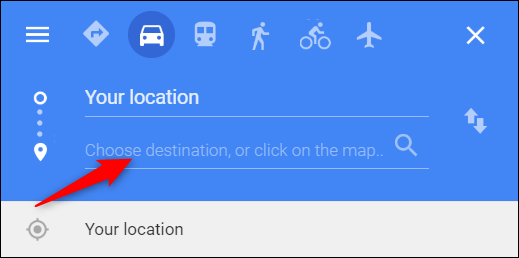
2. Click the Directions arrow in the upper left corner.
3. Enter where you are starting and where you want to go.
4. Select the public transit icon above the location fields to see available bus route options.
Track Your Ride with TransLoc
Real-time bus tracking for a more convenient travel experience
FDLAT makes it easy to plan your trip and stay on schedule. With the free TransLoc app, riders can view live, interactive maps showing the exact location of buses and shuttles throughout the system.
It is a simple, convenient way to make riding transit easier and more reliable.